Home › Unity tools › Static State Auditor
Static State Auditor
Lists every static field, property and event in your project and shows which ones survive Enter Play Mode without domain reload. Free.
Coming soon Version 1.0.1 is submitted to the Unity Asset Store and in review; the store link goes here when it is live. Free.

What it does
Turn off domain reload and play mode starts in under a second. It also stops resetting your statics: singletons point at destroyed objects, event handlers pile up, counters start where the last run ended. Unity's advice is to reset every static by hand in a SubsystemRegistration method, and nothing in the editor tells you which statics you have.
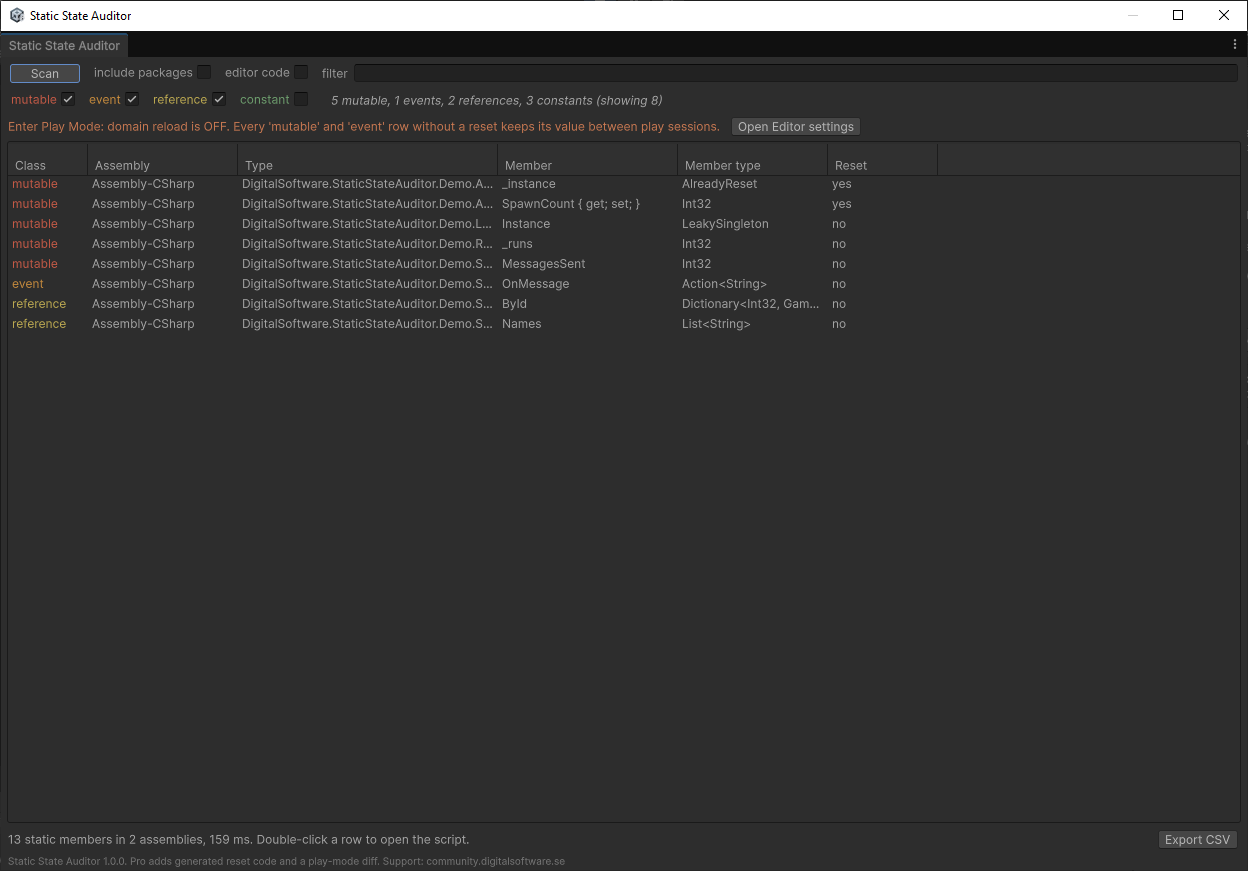
Static State Auditor does. Open the window, press Scan, and every static field, static auto-property and static event in your own assemblies is listed with its type, its member type and whether its class already has a reset method.
Each row is classified. Mutable: a field or property that keeps its value between play sessions; needs a reset. Event: subscribers accumulate; needs a reset. Reference: a readonly reference whose contents can still change; review it. Constant: a readonly value type or string; safe. Constants are hidden by default, so the list opens on what matters.
The status line reads your Enter Play Mode settings and says in one sentence what they mean for the rows below, with a button to the setting. Editor code is hidden by default, whether it sits in an editor-only assembly or in an editor namespace inside a runtime assembly, since its statics are editor state, not play-mode state; a toggle shows it. Packages can be included with another toggle.
Double-click a row and the script opens at the declaration. Filter by text, sort by any column, export the view as CSV with a header that records the project, Unity version, settings and totals, so an audit file explains itself later.
Pro adds generated reset code and a play-mode diff that shows which statics actually changed and survived.
Key features
- Scans every static field, auto-property and event in your assemblies
- Classifies each as mutable, event, reference or constant
- Shows whether the class has a SubsystemRegistration reset method
- Reads your Enter Play Mode settings and says what they mean
- Double-click opens the script at the declaration
- Filters, sorting, CSV export with scan metadata
- Editor-only, no runtime code, no dependencies
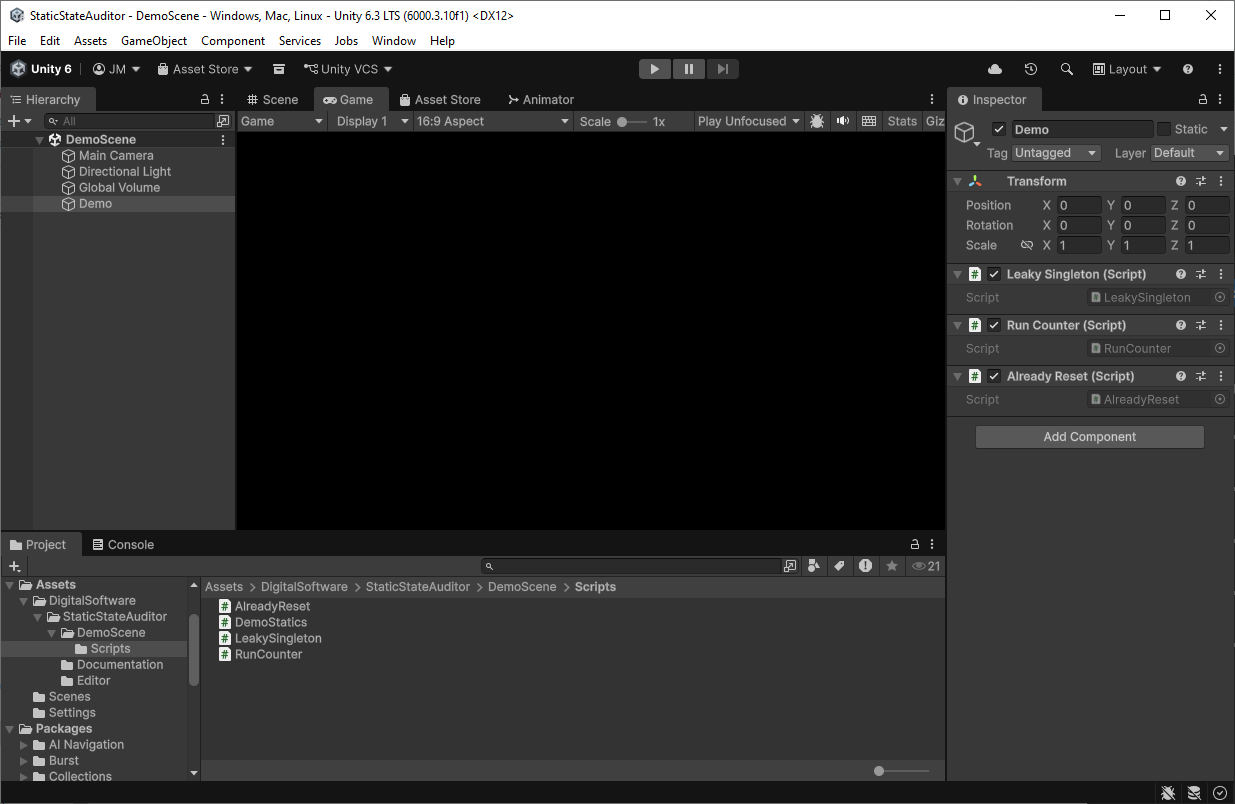
- Demo scripts that show every classification and a run counter you can watch climb
Screenshots


Video
Technical details
Editor-only tool in its own assembly definition; UI Toolkit window. Reflection over your compiled assemblies, never runs your code. Unity 6.3 LTS (6000.3) and newer. No dependencies. Works with any render pipeline since it has no rendering. Source included.
| Built-in RP | URP | HDRP | Minimum Unity | Price |
|---|---|---|---|---|
| yes | yes | yes | 6000.3 | Free |
Release notes
1.0.1 2026-10
- Extension hooks used by Static State Auditor Pro (one window for both editions).
- Skips compiler-generated nested types that carry no attribute (dynamic call-site caches).
- Toolbar toggle labels sit next to their checkboxes.
1.0.0 2026-10
- Initial release. Built and verified on Unity 6.3 LTS (6000.3).
- Scans static fields, static auto-properties and static events in the project assemblies.
- Classifies members as mutable, event, reference or constant; shows SubsystemRegistration reset methods.
- Enter Play Mode status line, filters, sorting, open-at-declaration, CSV export with scan metadata.
Documentation and support
- Documentation (PDF), the manual that ships inside the package
- Questions and bug reports: community forum or Discord
- E-mail: contact@digitalsoftware.se
Guides
- Which statics survive Enter Play Mode without domain reload in Unity: Why singletons, static events and counters keep stale values when domain reload is off, how to find every static in your project, and how to reset them.
Other packages from Digital Software
- Static State Auditor Pro (coming soon)
- Ship It (coming soon)
- Dedicated Server Build Button (coming soon)
- Bug Capsule (coming soon)
- zCache
- Fast RTS Minimap
- zFPS
- zFPS Pro
- zASCII
Page generated 2026-10-29 from the package's store copy and changelog (version 1.0.1).