Home › Unity tools › Ship It
Ship It
Build profiles, headless Windows and Linux servers, SteamPipe upload, Dockerfiles and a build stamp, from one editor window or the command line. Player Settings are never touched.
Coming soon Version 1.0.0 is submitted to the Unity Asset Store and in review; the store link goes here when it is live. Launch price 39.99 USD, 50 percent off for the first 2 weeks after release.
What it does
Shipping a multiplayer game means the same chores every release: switch to the server target, remember the defines, build, zip, write the SteamPipe scripts, find SteamCMD, log in, upload, write a Dockerfile for the Linux server, and hope nothing from the last build is still in the folder. Ship It turns that into build profiles and buttons.
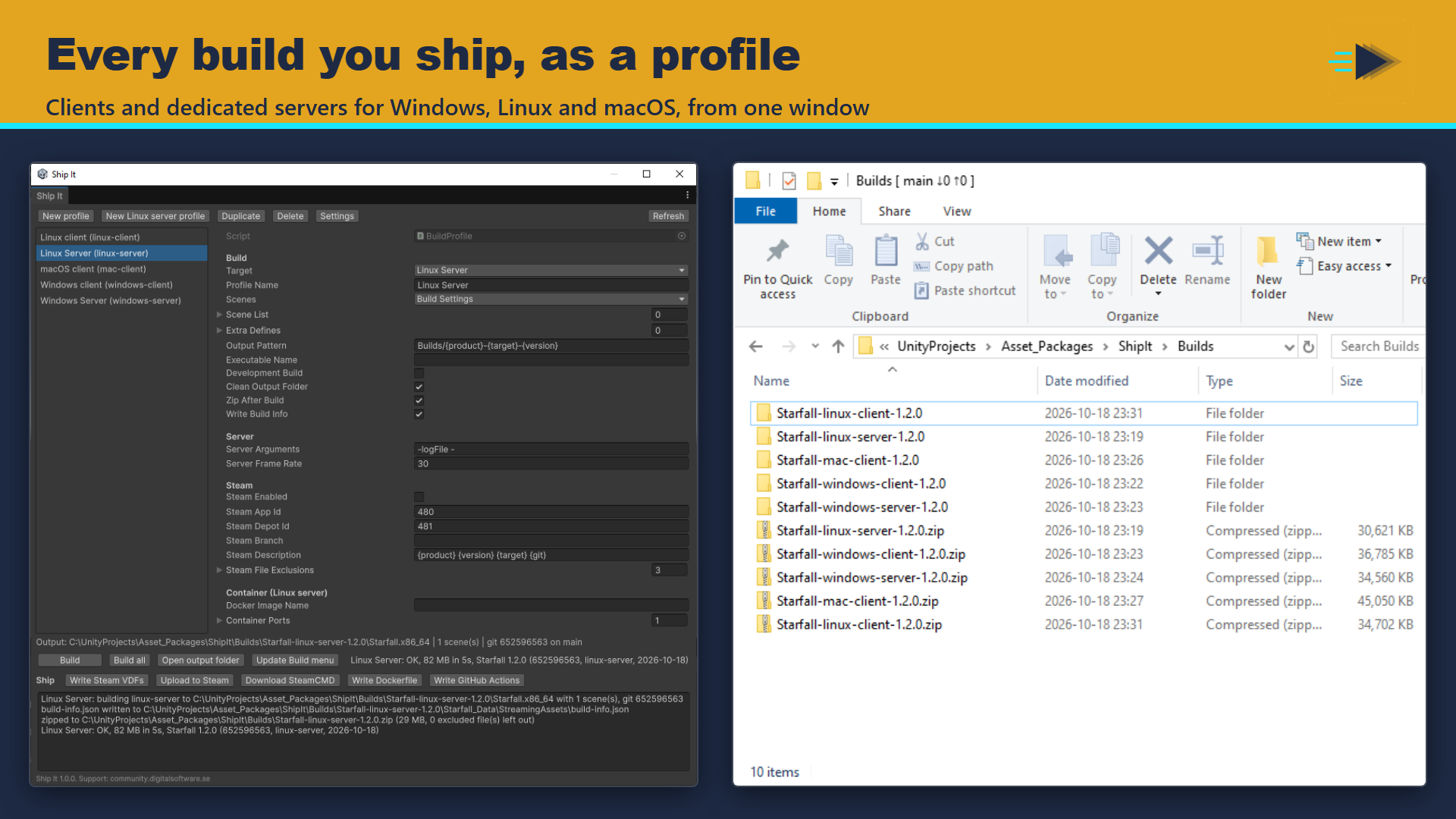
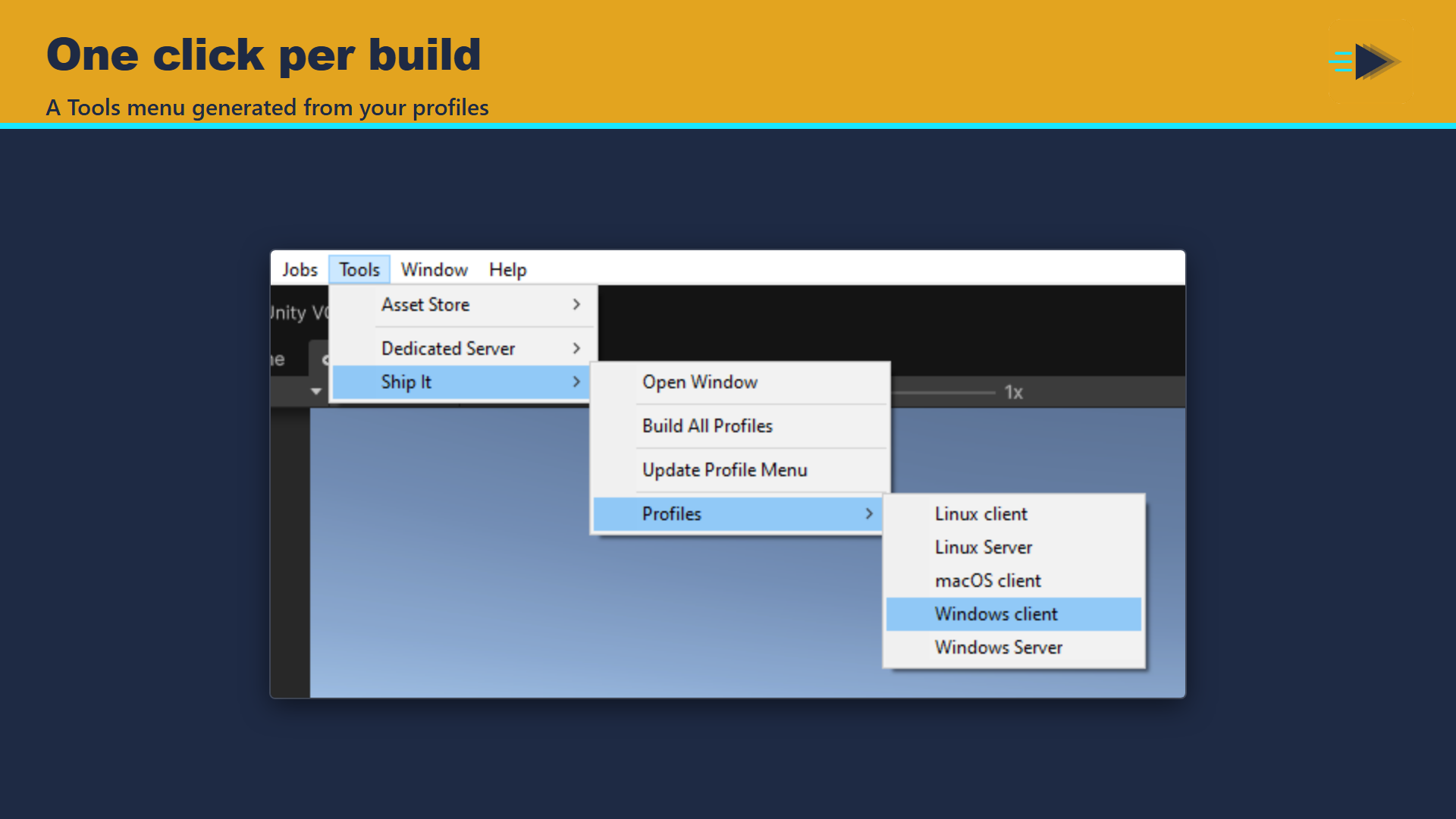
A profile is an asset you commit with your game: target (Windows, Linux or macOS client, Windows or Linux dedicated server), scenes from Build Settings or its own list, extra scripting defines for that build only, an output folder pattern with {product} {version} {target} {profile} {date} {git} tokens, development build and zip. Player Settings are never modified. Build one profile, build them all, or pick one from the generated Tools > Ship It menu.
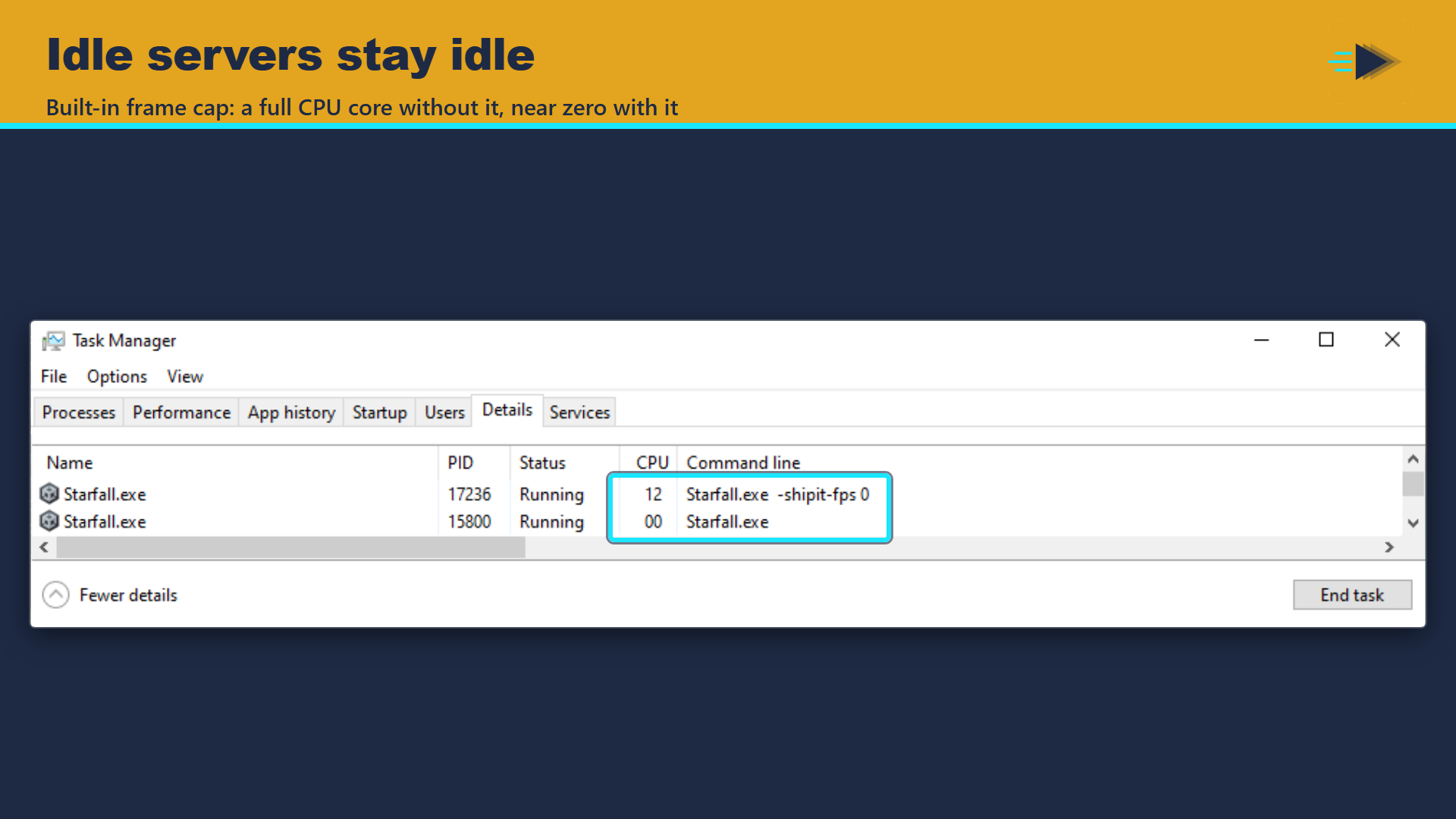
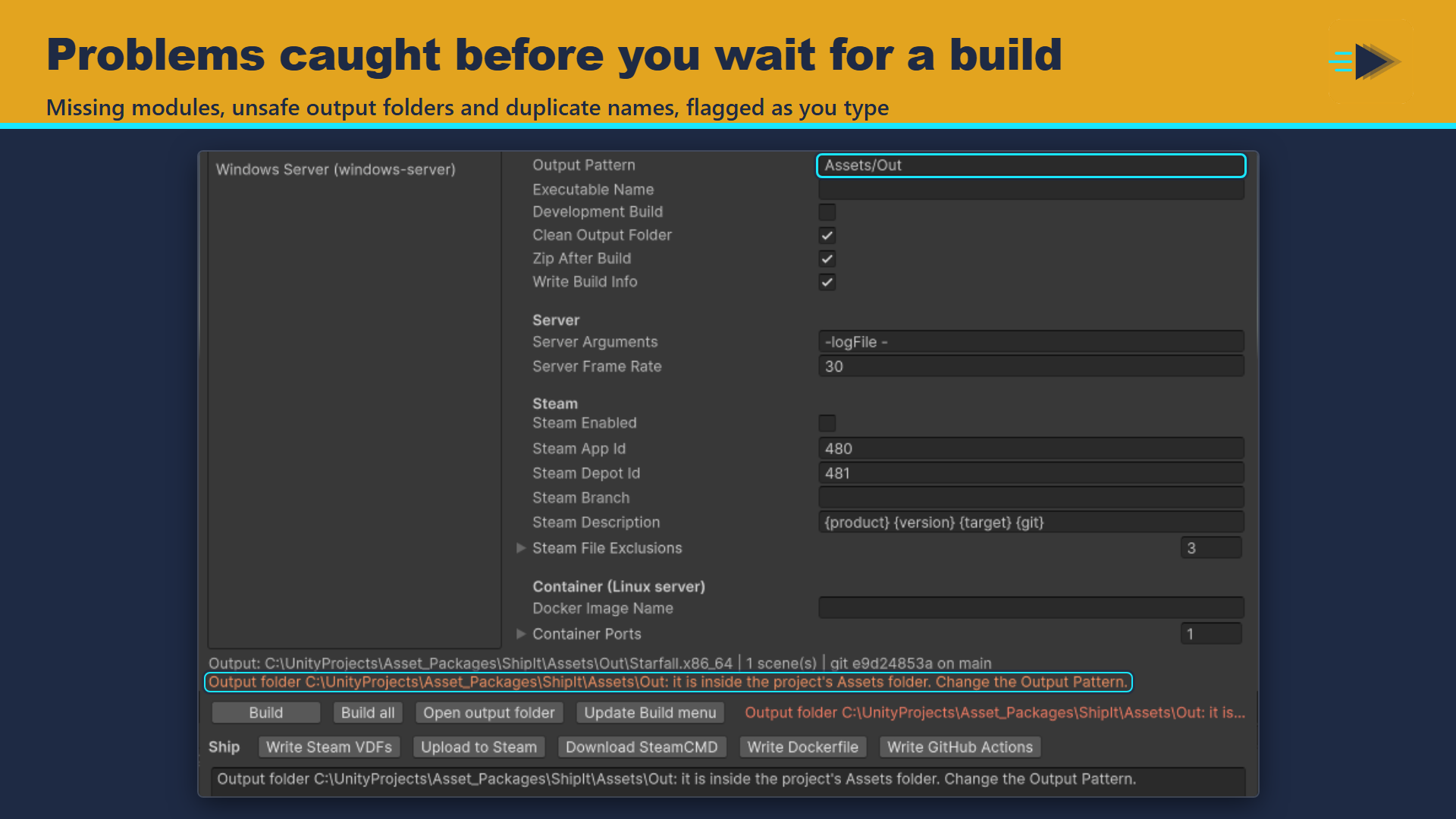
Server profiles use Unity 6's dedicated server build, so the result is headless with no window. Ship It checks that the Dedicated Server module is installed and names the module to add in Unity Hub when it is not. A frame-rate cap (30 by default, changeable per profile or at launch) stops an idle server from keeping a CPU core busy: in our test an idle Windows server went from a full core to near zero.
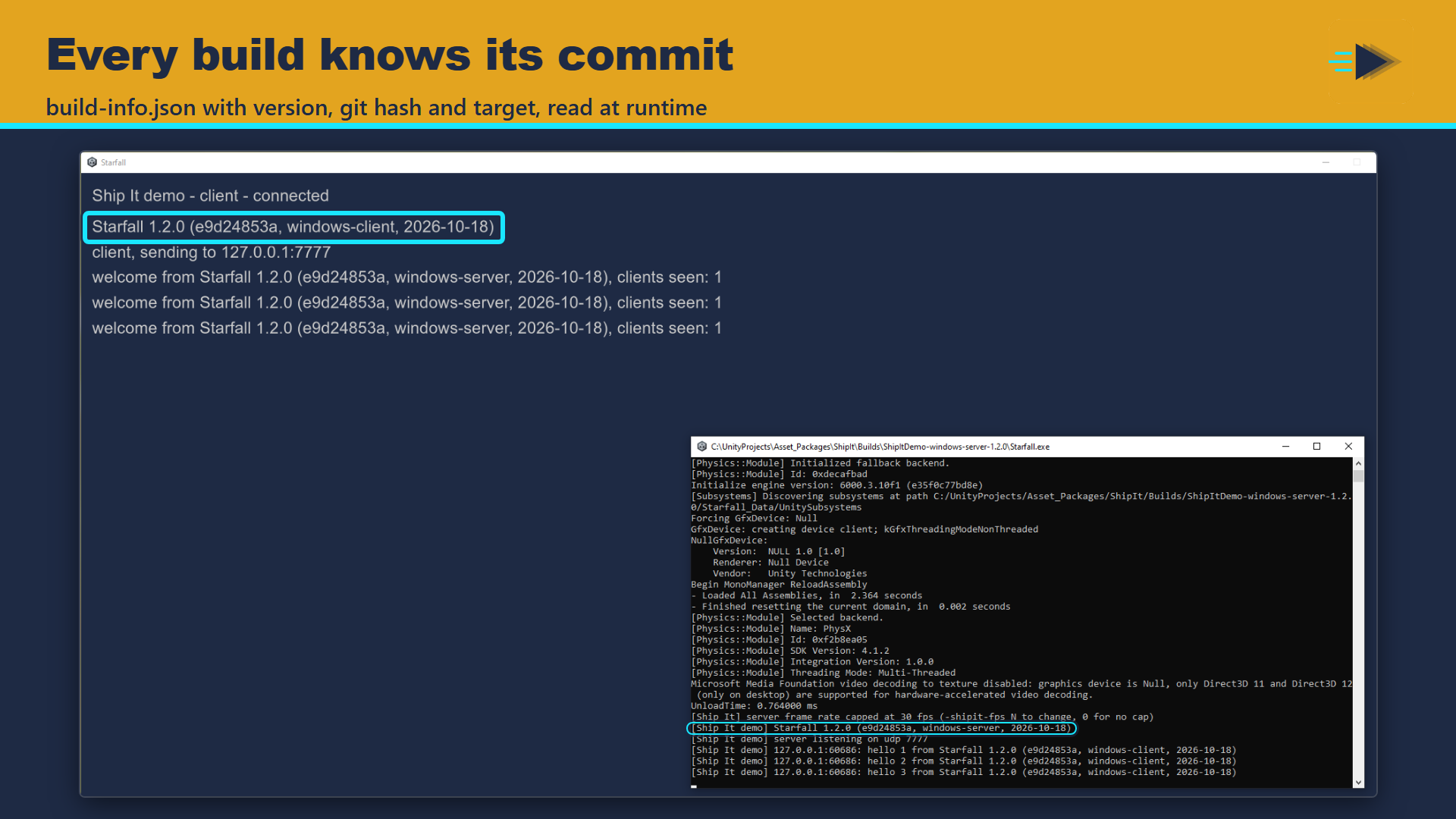
Every build can start from a clean output folder, so development DLLs and debug symbols from an earlier build never ship; only a folder that holds an earlier Unity build is emptied. Each build carries build-info.json with version, build GUID, git hash, branch, an uncommitted-changes flag, target and date, and BuildInfo.Current reads it at runtime for your about screen, logs or crash reports.
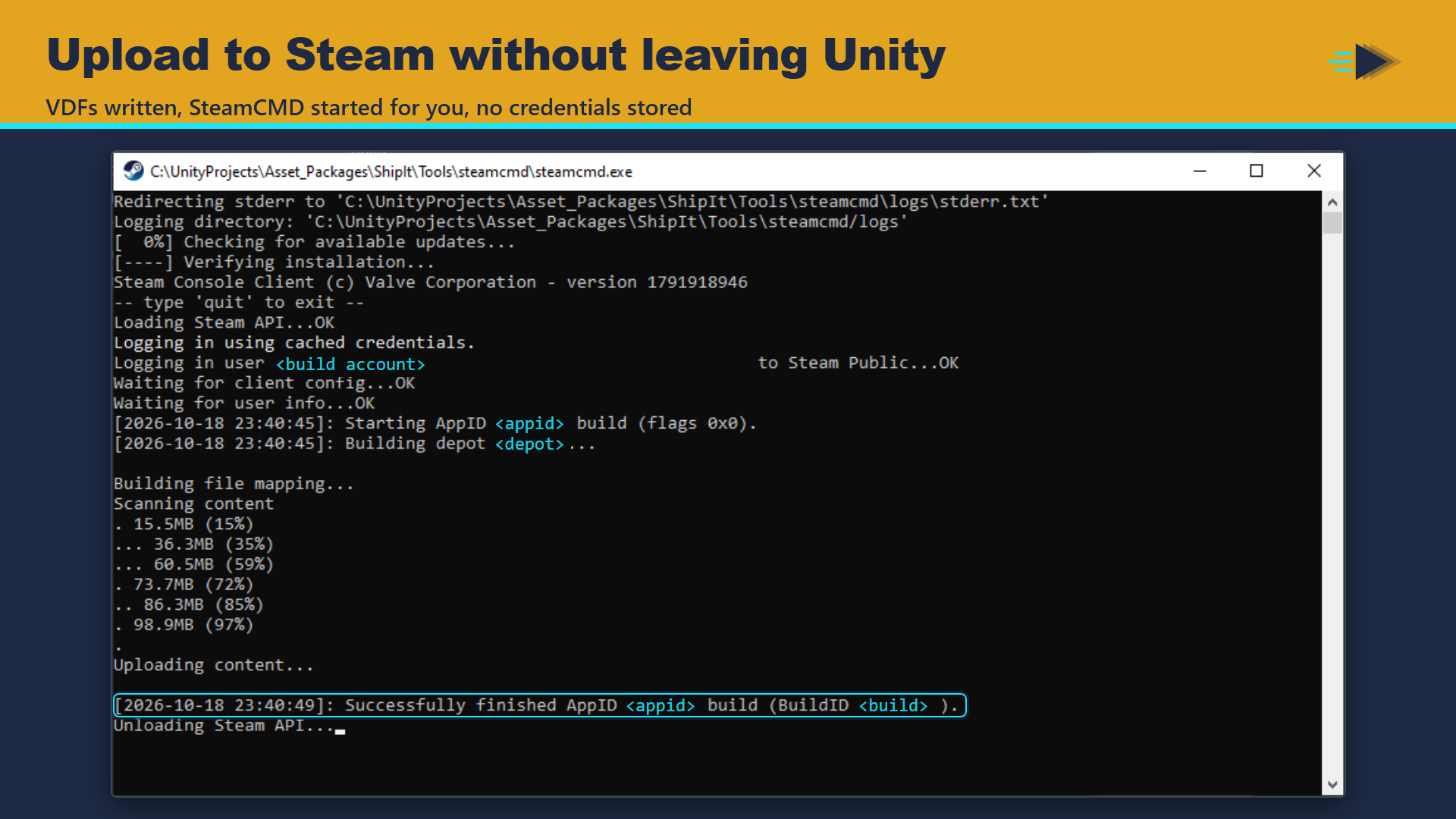
Steam: enter the app and depot ids, press Write Steam VDFs, then Upload to Steam. Ship It writes the app and depot build scripts into a ContentBuilder folder, downloads SteamCMD if you have none, and starts the upload in a visible console where you type your password and Steam Guard code. Ship It stores no credentials, and the SteamCMD folder gets a .gitignore so its saved login never reaches your repository. A branch is set live only when you name one. Debug symbols and Unity's DoNotShip folders are left out of the depot and the zip.
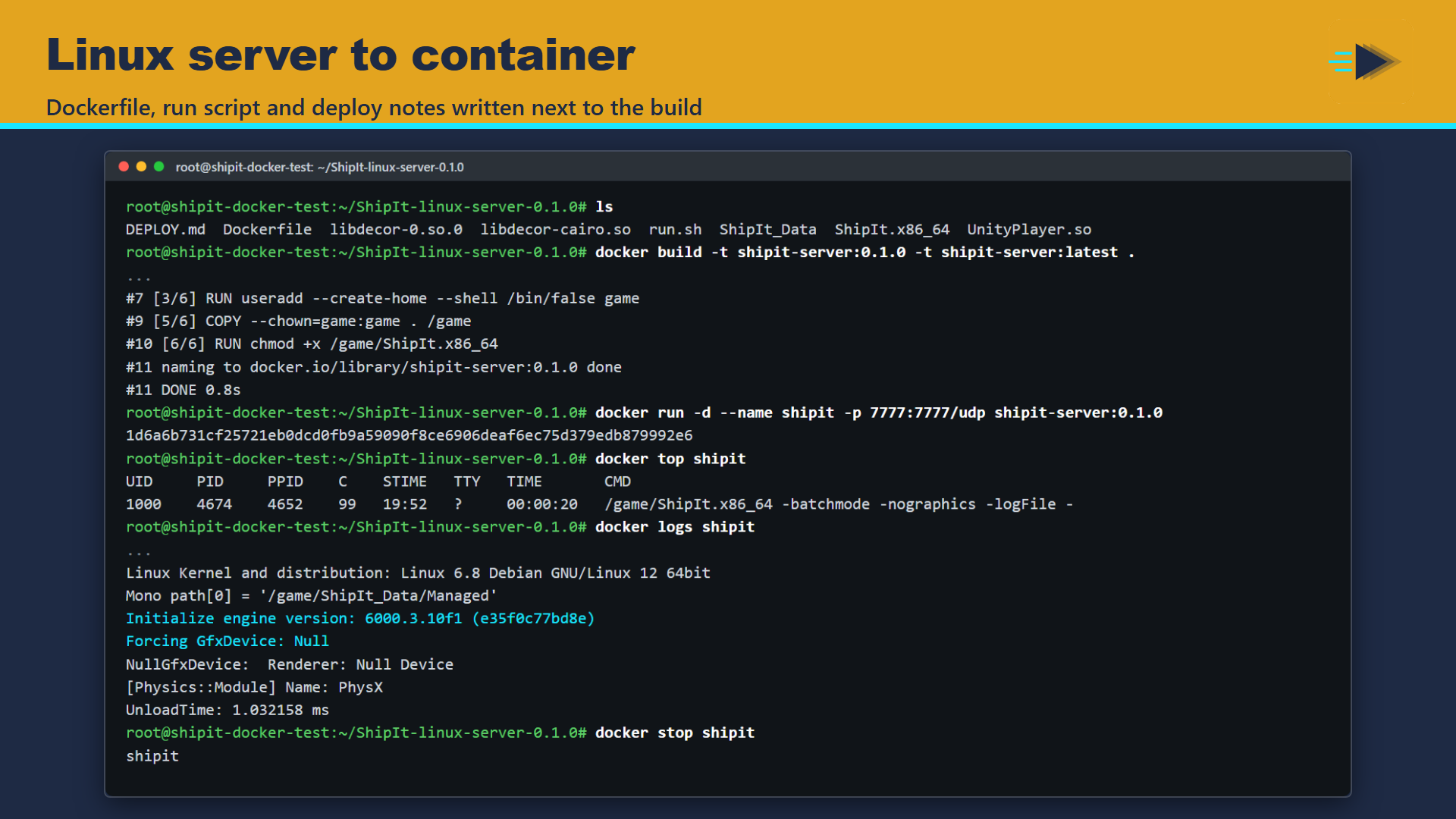
Linux servers: Write Dockerfile adds a Dockerfile, run.sh, .dockerignore and DEPLOY.md with the docker build and run commands and notes for Edgegap and Hathora. The container runs the server as a non-root user and logs to the console.
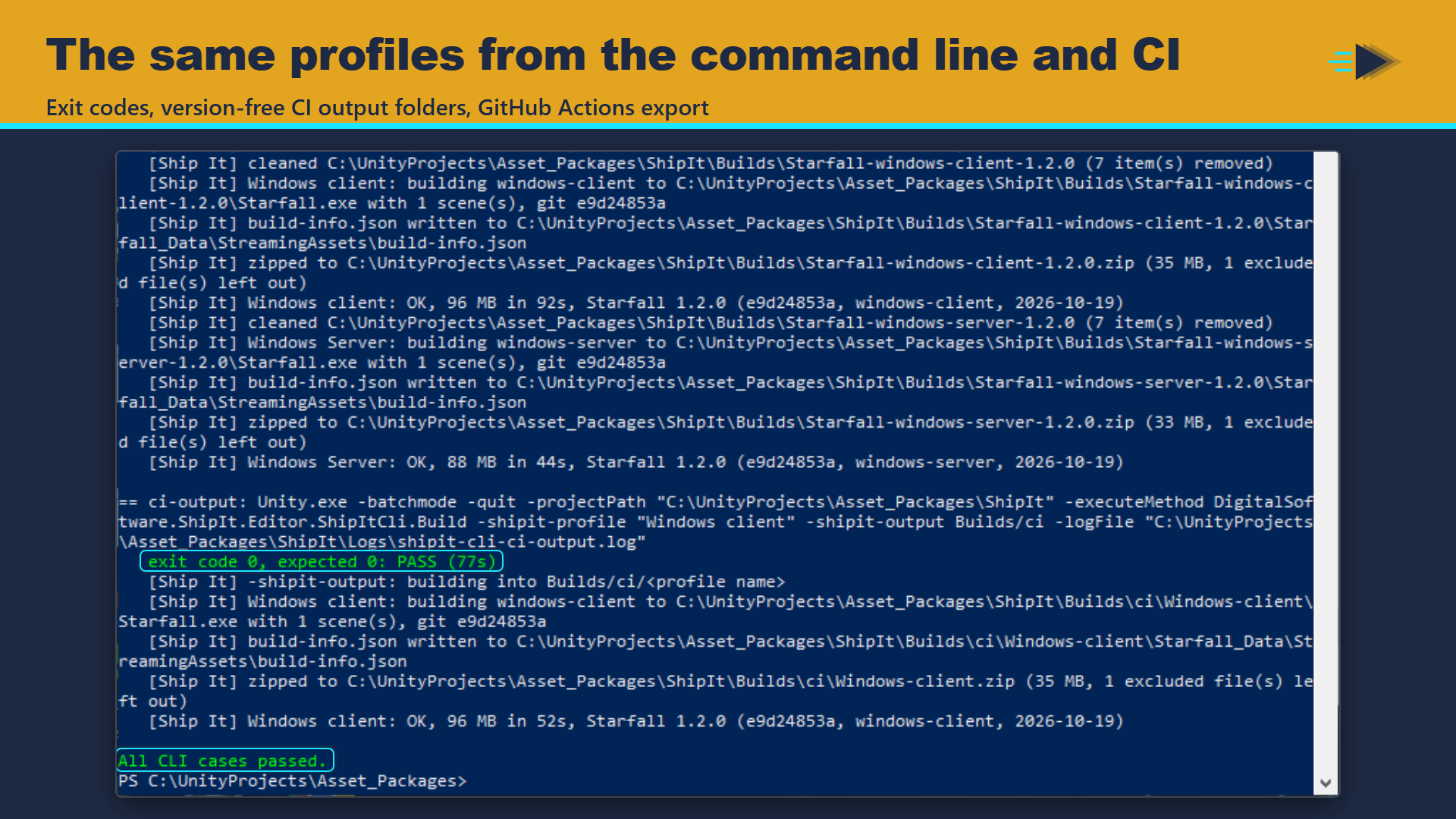
Command line and CI: one -executeMethod call builds a named profile or all of them and exits with 0 or 1. Write GitHub Actions exports a starting workflow with one game-ci job per profile.
The demo is a client and server scene that talk over UDP, with three ready profiles: build the server and the client, start both, and watch them greet each other with their build stamps.
Key features
- Build profiles as assets: targets, scenes, per-build defines, output pattern tokens, zip
- Dedicated Windows and Linux servers through the Unity 6 server build, with a module check
- Server frame-rate cap so idle servers stay cheap
- Clean output folder, guarded so it only ever empties an earlier build
- build-info.json stamp with git hash and dirty flag, read at runtime through BuildInfo.Current
- SteamPipe: VDF generation, SteamCMD download, upload in a visible console, no stored credentials
- Dockerfile, run script and deploy notes for Linux servers
- Command-line builds with exit codes, GitHub Actions workflow export
- Generated Tools > Ship It menu, one item per profile
- Player Settings never modified; no dependencies
Screenshots
Technical details
Editor tool in its own assembly definition, plus a small runtime assembly (BuildInfo and the server frame-rate cap); UI Toolkit window. Unity 6.3 LTS (6000.3) and newer. Standalone targets: Windows, Linux and macOS; server builds need the Dedicated Server Build Support module for the target. Steam uploads use Valve's SteamCMD, downloaded on request. Container images need Docker on the machine that builds them. The demo uses plain .NET UDP sockets, no netcode package. No other dependencies. Any render pipeline. Source included.
| Built-in RP | URP | HDRP | Minimum Unity | Price |
|---|---|---|---|---|
| yes | yes | yes | 6000.3 | 39.99 USD |
Release notes
1.0.0 2026-10
- Build profiles as assets: target (Windows/Linux client or server, macOS client), scenes from Build Settings or an explicit list, per-build defines, output pattern with {product} {version} {target} {profile} {date} {git} tokens, zip.
- Profiles can be switched off (Enabled): Build all, -shipit-all, the Tools menu and the workflow export skip them; they stay in the list and still build on their own.
- Dedicated server builds through the Unity 6 server subtarget; Player Settings are never modified.
- build-info.json stamped into StreamingAssets (version, build GUID, git hash, branch and dirty flag, target, date); BuildInfo.Current reads it at runtime.
- Clean Output Folder (on by default): empties the output folder before each build, only when it holds an earlier Unity build; refuses drive roots, the project and its folders, and any folder with Assets or a git repository.
- The SteamCMD folder and the SteamPipe output folder get a .gitignore, so the saved Steam login is never committed.
- Zip and Steam depot share one exclusion list, so *_DoNotShip and *.pdb never ship.
- Window > Digital Software > Ship It; Tools > Ship It menu with one item per profile (generated); CLI entry for CI with exit codes, -shipit-all and -shipit-output <folder> (version-free build paths for CI steps).
- Steam: app and depot VDF generation in a ContentBuilder folder, upload script, SteamCMD launch in a visible console, SteamCMD download.
- Server frame-rate cap (default 30 fps, per profile, '-shipit-fps N' overrides at launch) so an idle dedicated server does not keep a CPU core busy.
- Linux server: Dockerfile, run.sh, .dockerignore and DEPLOY.md with docker, Edgegap and Hathora commands.
- GitHub Actions workflow with one game-ci job per profile and Steam upload steps.
Documentation and support
- Documentation (PDF), the manual that ships inside the package
- Questions and bug reports: community forum or Discord
- E-mail: contact@digitalsoftware.se
Guides
- What a Unity build needs before it can go on Steam with SteamPipe: ContentBuilder layout, app and depot VDFs, SteamCMD and Steam Guard, what to keep out of the depot, a git hash build stamp, and the same upload from CI.
Other packages from Digital Software
- Dedicated Server Build Button (coming soon)
- Bug Capsule (coming soon)
- Static State Auditor (coming soon)
- Static State Auditor Pro (coming soon)
- zCache
- Fast RTS Minimap
- zFPS
- zFPS Pro
- zASCII
Page generated 2026-10-29 from the package's store copy and changelog (version 1.0.0).